Simple Steps for Securing Your Data
January 5, 2026 - by David
This was copied over from a thread from August 21st, 2020 to a close friend. The advice is still all relevant today, but the apps and services may have changed. Always stay updated with the latest security practices and tools.
#1 Password Managers
The most important thing, never reuse a password! Generate a new one for every site, and use a "password manager" to store them. They will encrypt them and autocomplete when you go to login, you don't have to remember them.
A massive attack vector is someone hacks one site, finds your email and password, then tries that same combo on other sites, to get access to your data.
Make them as crazy as possible, it doesn't matter, you don't have to remember them. For example, this is a password of mine for a single website, every other website has a unique and equally crazy one.
is5uH8^poNNg@rWY$VY91hj
It would take millions of years to brute force attack that.
I highly recommend 1Password because it also stores 2FA, those one time codes that expire in 60 seconds. If a site offers that, you must enable it. Combined with a strong password, that makes your account un-hackable by any typical means. It also stores notes, images, files, etc.
Another great option, with better browser integration, is LastPass.
I pay for both of them actually, you don't need to, just pick one. You can use them for free but when you pay, they store a highly encrypted copy of your password database on their servers, in case your laptop is lost. Be sure to print out a few copies of the "backup" sheet and give to trusted friends. They won't be able to access your data without the password, but the way they work is to generate a super strong secret key that is combined with your password. Even with the password, without the seed key, you can't open them back up. Super secure.
#2 Browser Extensions
A very important way to protect your privacy is to block "tracking scripts". Every site uses them to increase their ad revenue, but that's their priority, not yours.
Remember when everyone was bitching about "Cambridge Analytica" helping the Trump campaign by using this data? Well assholes, guess who gave that data to them? You.
I use Privacy Badger from the EFF, which is a good basic start. Ghostery is also really great, I don't think you have to pay for it though, the free version is pretty damn good.
I just visited Wired's website and look at how many trackers they both blocked in combination!

#3 2FA
2FA stand for "2 factor authentication", which means you have to provide 2 things, your password, and a code that rotates every 60 seconds. On any site that has this, enable it!
You can save the 2FA to 1Password, or use something like Google Authenticator. I would recommend 1Password over Authenticator. My phone broke in Vietnam and it was a nerve wracking 3 months before I got back to the US that I couldn't access a bunch of accounts.
When possible, don't use your phone for 2FA. A common scam is to hijack your phone number to catch 2FA codes. Save the backup codes into an app like LastPass or 1Password.
#4 Email Tracking
Definitely install Ugly Email. It will tell you if any emails you've received have a "tracking beacon" in them. Companies, and even some people, add these to see if you've opened the email and when. That's none of their business. I almost always delete emails with those immediately, they have no right to know that, that is my time.
Crucially, go into Gmail and find this setting. Make sure it's set to "ask first". It costs you nothing, in fact, emails load faster without the images, but it prevents spammers from knowing your email is valid.

#5 HTTPS Always
HTTP stands for "hypertext transfer protocol", the means by which data is transferred over the internet. The added "s" means it is secure. When you use HTTPS, the data is encrypted on your computer in a way that only the other website can decode, and vice a versa. There is zero cost for a site to be secure these days, so one that is not, is either lazy or suspicious.
When you're on a website, make sure you see the lock icon. If you don't, everything you do on that website is leaked to every single connection point in between.

Under no circumstances should you ever enter any personal information, most importantly financial, to a site that does not have the lock icon. Google has gotten very good at enforcing this, sites without it will be removed from search results. It is still important to keep in mind though.
#6 Cloud Storage
I use Google Drive sync client to sync a folder on my computer to Google Drive. All of my files, that are important, are copied to my Drive. I pay $30/year for 200Gb of storage, which is twice the size of the actual hard drive on my computer. That is $30 of insurance. I can throw my computer into the ocean and risk losing absolutely none of my data, including papers I wrote 20 years ago. Dropbox is also a great solution.
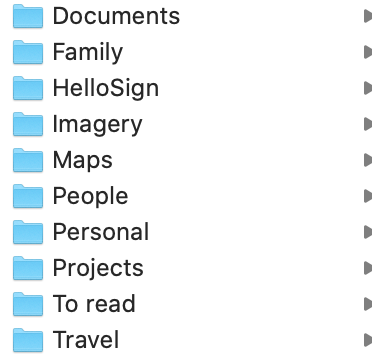
Organize your data though. People treat cloud storage like a "junk drawer". Create a basic folder structure and use it. You will actually find it empowering. This is what my high level one looks like.
#7 Backup Regularly
Even with all of these things and cloud storage, a hard backup is critical. My laptop broke in 2016, I went to the Apple store, bought a new one, used the backup drive, and in 2 hours was using the exact same machine as I was before.
#7 Backup Regularly
Even with all of these things and cloud storage, a hard backup is critical. My laptop broke in 2016, I went to the Apple store, bought a new one, used the backup drive, and in 2 hours was using the exact same machine as I was before.
Apple's Time Machine, and I'm assuming Microsoft's equivalent, now backup literally everything. When I restored from the backup, it was completely identical to the computer I was using that had broken.
#8 No, You May Not
Never let anyone else use your computer, period.
I don't even let the mother of my first born son use my computer. It's not because I don't trust her as a person, I trust her with my child more than myself.
However, other people may not know best security practices, they may fall for a phishing scam, while using your computer, that now exposes you to hacking.
#9 Remove Unused Apps
"Apps" on your phone have access to a ridiculous amount of information about you. If you don't use them, remove them. I do an "app purge" at least once a month. If you find you need it again, it's 10 seconds to reinstall. If you leave it on your phone, it can harvest your data everyday. For example, when in Asia, everyone uses Line, but nobody in the West does. So when I go to Asia I install Line, and on the flight back, I delete it.
#10 VPN
A VPN is helpful in that it can encrypt and route your data, privately, around the world. I use Private Internet Access, mostly because some of the US based banking sites just block outside connections. This is not crucial, so long as sites support HTTPS, but it can be convenient when traveling.
#11 Preparedness
Always keep in mind, "what if my computer was thrown into the ocean tomorrow?". There's a better chance you'll be hit by lightning, but it won't hurt to have considered the risk. Password backups, cloud file storage, backup hard drives, etc; all these things will insure you against the risk.
#12 Revoke Access
Periodically review the apps that you've used login for and revoke access. If you've used Google, Facebook, or Twitter to login to another app or site, they may have access to your account years later, even if you no longer use the app.
Reach Out
If you're uncertain about the security and privacy of your personal information, don't hesitate to reach out to a friend who knows this stuff. They will be more than happy to help you, they're actually dying to!
If you have any questions, I would love to help, hit me up.

Don't say "I know"
February 21, 2026 - by David
It's not really possible in a probabilistic world.
Demote Paywalls
February 15, 2026 - by David
Google Search is still the "gold standard" for finding information on the internet.

Environmentalism is Bullshit
February 14, 2026 - by David
The hypocrisy in the supposed environmentalism movement is so blatant that it is impossible to take it seriously.

What is Value?
February 9, 2026 - by David
Everyone knows "price" and "quality", but ignores "value".
Stop with the negative and wrong emojis!
January 30, 2026 - by David
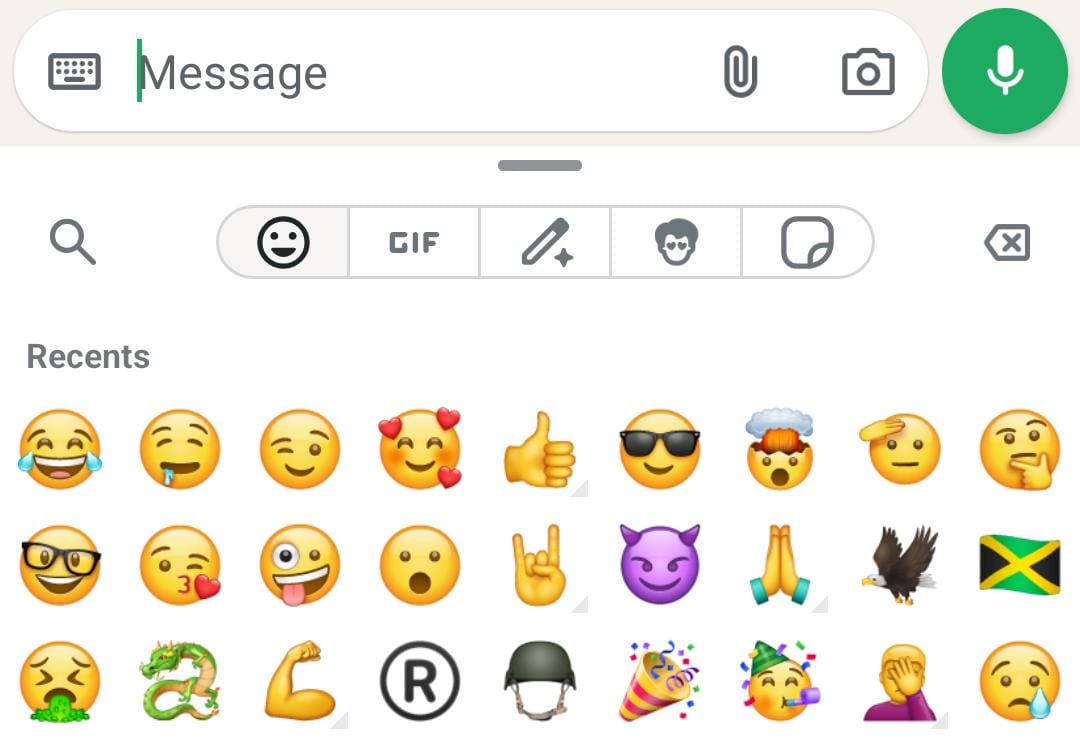
What the hell is this? Why is auto-suggest giving me an emoji that I have never used, ever? And, why the hell is it the "Loudly Crying Face" emoji?
Go to Your Happy Place
January 19, 2026 - by David
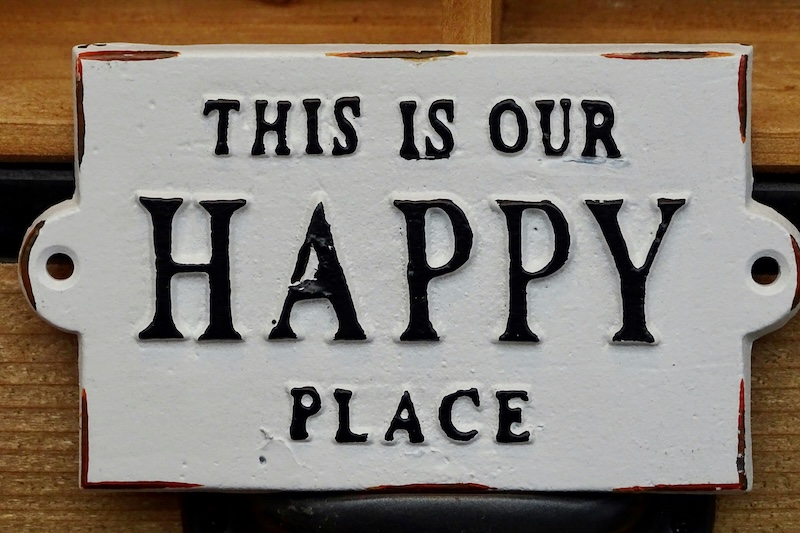
So much meditation practice asks you to find a "happy place." But what does that really mean?

Universal Symbols
January 18, 2026 - by David
How many symbols are enough to communicate across cultures and languages in an increasingly interconnected world?

Specialized AI and the Road to AGI
January 12, 2026 - by David
Exploring the future of specialized artificial intelligence and its path towards artificial general intelligence.
Simple Steps for Securing Your Data
January 5, 2026 - by David
Practical advice on how to protect your personal information and maintain your online security.

Go-Bag Packing Checklist
December 31, 2025 - by David
A comprehensive checklist for packing an emergency travel go-bag.
Dev bookmarks
April 26, 2022 - by David
A collection of bookmarks to interesting dev projects or resources.

The Joe Rogan bot
December 19, 2021 - by David
Prolific podcasters/vloggers/bloggers or even social media users, in the future, will be able to recreate a "bot" of themselves that easily crosses the uncanney valley.
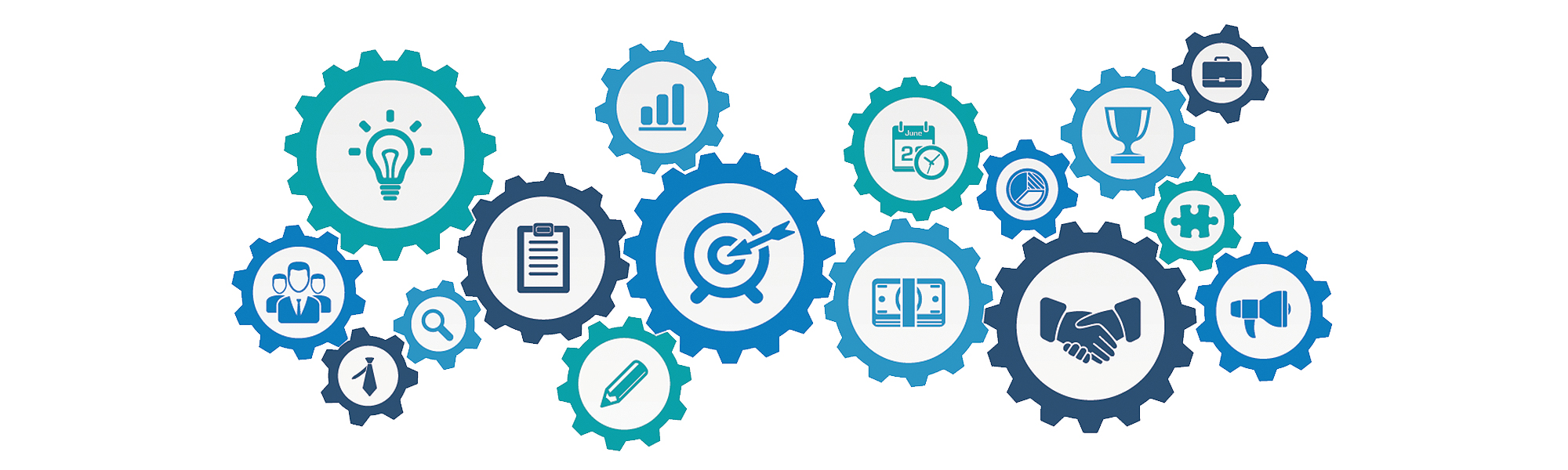
Everything is a System
September 17, 2020 - by David
The entire physical universe acts as a system, from the galaxies all the way down to the sub-atomic level.

Original Sources
June 11, 2020 - by David
All interviews in the future will link to unaltered original video sources.
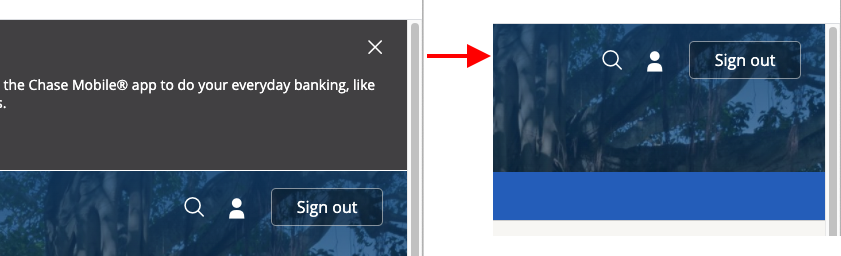
UI/UX Please Don't
May 5, 2020 - by David
A list of UI/UX implementations to avoid at all costs.

Importance of writing
April 30, 2020 - by David
Proper written communication is more important than ever.
Managing engineering teams
February 15, 2019 - by David
Thoughts on the best practices of the most efficient engineering teams.
No Comments
February 1, 2019 - by David
Don't bother with a comments section on a personal or company blog.
One Wish
January 7, 2019 - by David
The importance of quality user experience to crypto cannot be overstated.